Corosa - Google Slide Template
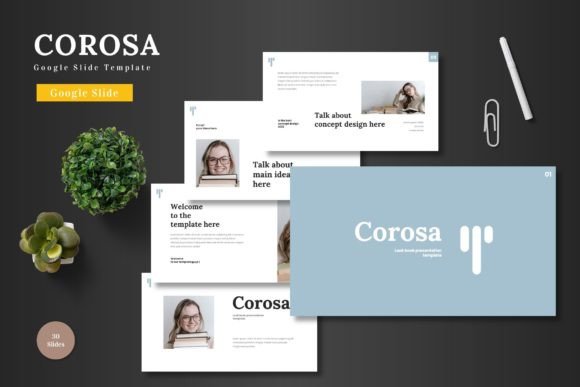
First impressions in a presentation are everything, and the right template can instantly set a professional, engaging tone. If you're looking to elevate your next business pitch, product showcase, or portfolio review, the Corosa - Google Slide Template offers a compelling blend of modern design and practical flexibility. This isn't just another slide deck; it's a comprehensive design system built directly within Google Slides, making high-quality presentation design accessible to everyone, regardless of their software expertise.
What makes this template stand out is its commitment to clean, scalable, and colorful aesthetics. Whether you're preparing a startup pitch deck, outlining an e-commerce strategy, or promoting a new product, Corosa provides a visually cohesive foundation. The design is intentionally versatile, ensuring your content remains the star while the template enhances its clarity and impact.
Designed for Flexibility and Ease of Use
A common frustration with premium templates is complex editing. Corosa eliminates this barrier. Every single element, from shapes and icons to charts and text boxes, is fully editable directly within Google Slides. There's no need for additional software like Adobe Illustrator or PowerPoint. You can simply click to change colors, drag and drop your images into smart placeholders, and customize layouts to match your brand's visual identity. This level of control allows you to maintain perfect design consistency across all your slides.
The package is thoughtfully structured to support a wide range of projects. With over 150 total slides organized into five premade color schemes, you have a wealth of options at your fingertips. Each color variation contains 30 unique slides, including dedicated section breaks to help structure your narrative flow. The pixel-perfect illustrations and handcrafted infographics are all resizable and editable, ensuring they look sharp on any screen.
Practical Applications for Modern Creators
Think about the scenarios where presentation quality is non-negotiable. A startup founder needs a pitch deck that conveys innovation and credibility. A marketing manager requires slides that can beautifully showcase quarterly results or a new campaign. A designer might need a sleek portfolio to impress potential clients. Corosa is built for these moments. Its clean typography and modern layout principles make it suitable for:
- Business & Pitch Decks: Structure your story with clear data visualizations and compelling section breaks.
- Product Launches & E-commerce: Use the gallery and portfolio slides to highlight features and benefits with stunning visuals.
- Corporate Reports & Proposals: Present complex information in an organized, digestible, and professional manner.
- Educational Workshops & Webinars: Engage your audience with a clean, easy-to-follow layout that supports your spoken content.
Tips for Getting the Most Out of Your Template
To ensure your final presentation is polished and effective, consider these practical tips during your design process:
Align with Your Brand: Before you start, have your brand's color hex codes and logo files ready. Use the template's color scheme options as a starting point, but don't hesitate to customize them to create a unique look that's unmistakably yours. This reinforces brand recognition.
Focus on Readability: While the template's fonts are chosen for clarity, always preview your slides in presentation mode. Check that text is legible from a distance and that there's sufficient contrast between text and background elements. Simplicity often enhances comprehension.
Leverage the Placeholders: The drag-and-drop picture placeholders are a huge time-saver. Use high-resolution, relevant images that tell your story. Consistent image styling, such as using the same filter or aspect ratio across your deck, contributes significantly to a professional finish.
Choosing a well-designed presentation template like Corosa is an investment in your communication. It saves countless hours of formatting, ensures visual harmony, and allows you to present your ideas with the confidence and polish they deserve. By providing a robust, editable framework, it empowers you to focus on what truly matters: your message.